Appearance
Spot Color
The Spot Color node applies a filter that replaces the colors in the input image with one of the three input colors.
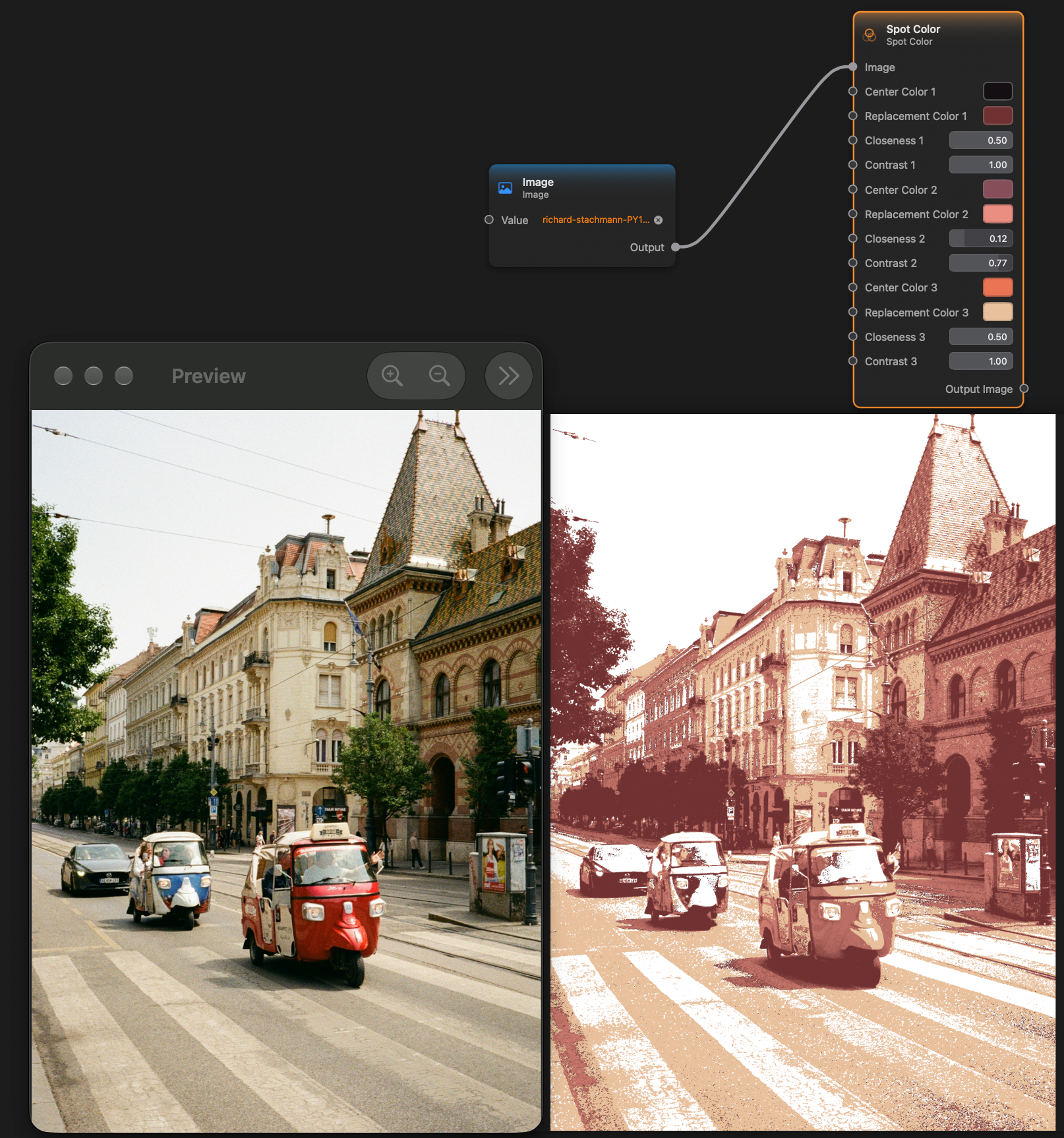
Inputs and Outputs
Inputs:
Image (Image): The input image.Center Color 1 (Color): The color to be replaced.Replacement Color 1 (Color): The replacement color.Closeness 1 (Float): How close the color should be to be replaces.Contrast 1 (Float): The contrast to be applied.Center Color 2 (Color): The color to be replaced.Replacement Color 2 (Color): The replacement color.Closeness 2 (Float): How close the color should be to be replaces.Contrast 2 (Float): The contrast to be applied.Center Color 3 (Color): The color to be replaced.Replacement Color 3 (Color): The replacement color.Closeness 3 (Float): How close the color should be to be replaces.Contrast 3 (Float): The contrast to be applied.
Outputs:
Output Image (Image): The output image.