Appearance
Affine Transform
The Affine Transform node is an input node that produces an Affine Transform value. It can also take another Affine Transform value as an input, in which case the node acts as a pass-through node.
Below is a screenshot of the node and it's inspector panel:
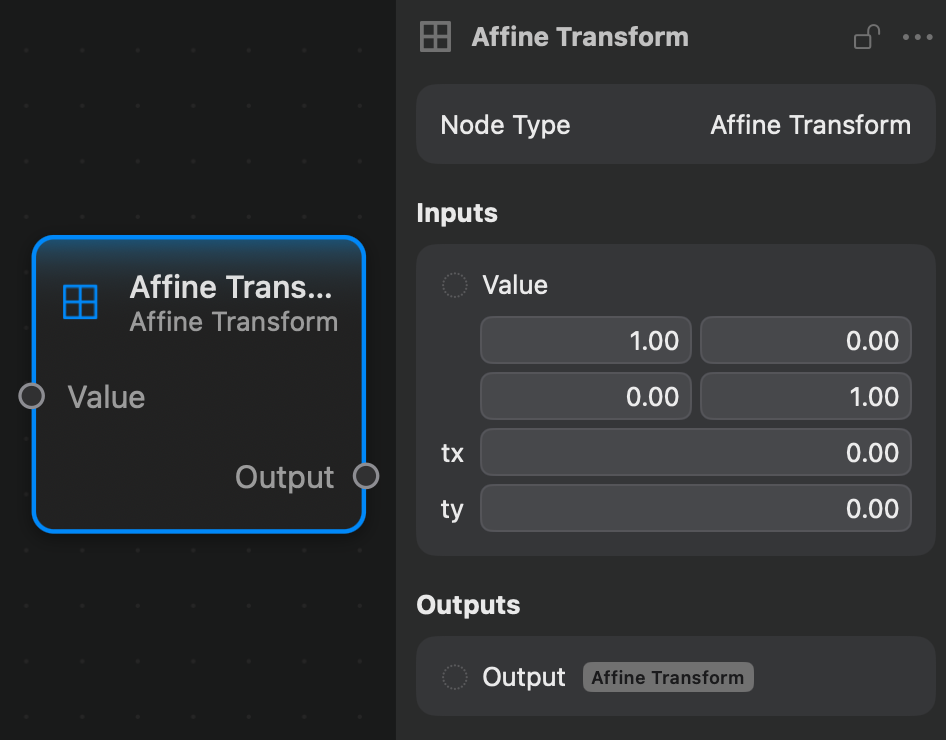
As this node's controls are quite complex, they are all placed in the inspector panel.
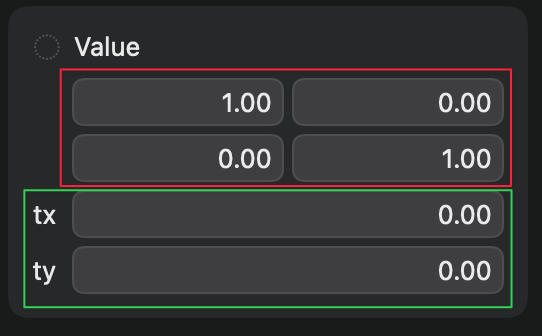
The first two rows of the controls (red outline), with two columns each, represent the matrix part of the affine transform, and is responsible for scaling, rotating, and shearing. The other two rows (green outline), represent the translation vector.
Inputs and Outputs
Inputs:
Value: an Affine Transform value.
Outputs:
Output: an Affine Transform value.
Example
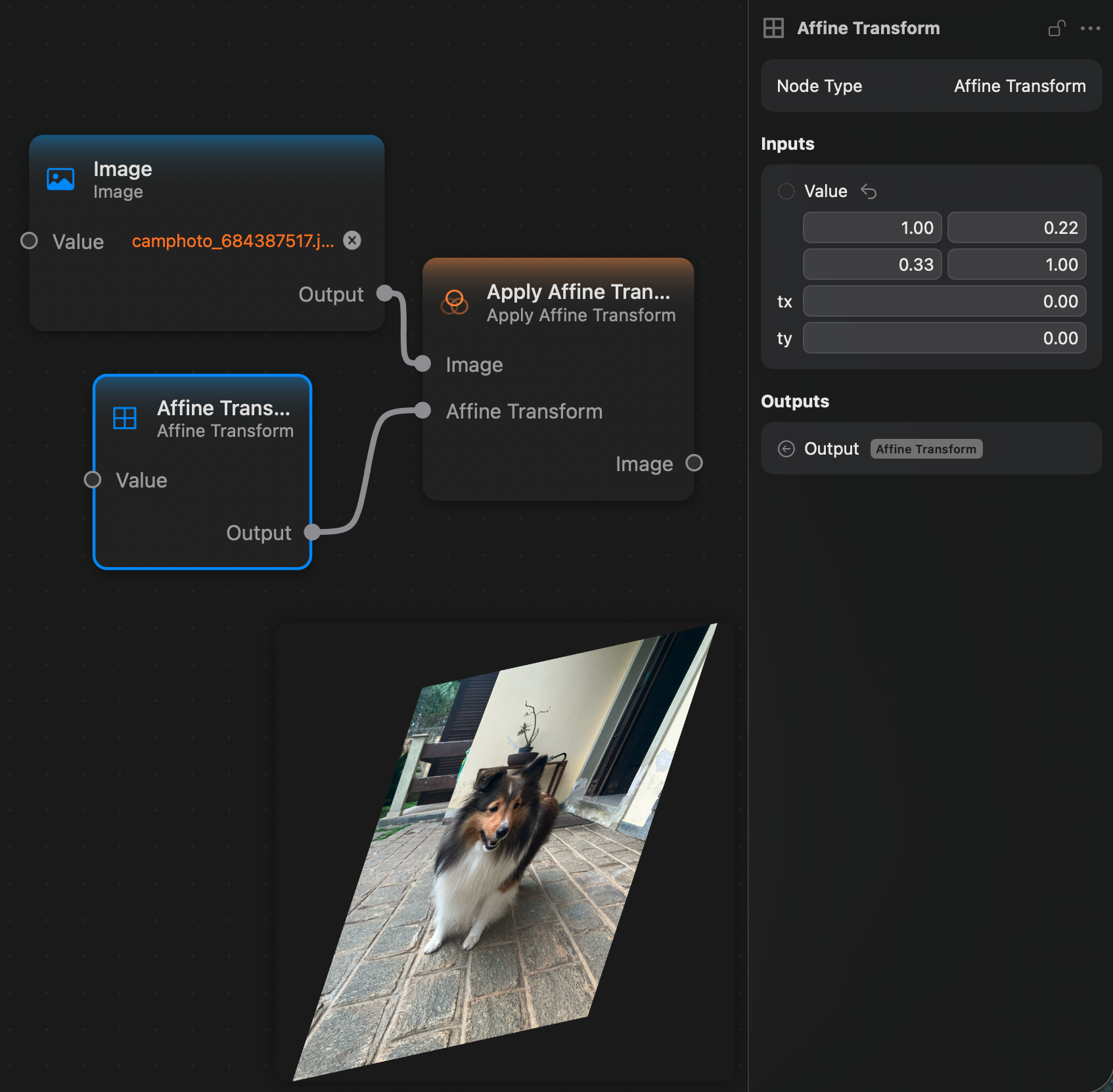
Here is a small example of an affine transform created with this node being applied to an image via the Apply Affine Transform node.