Appearance
Depth of Field
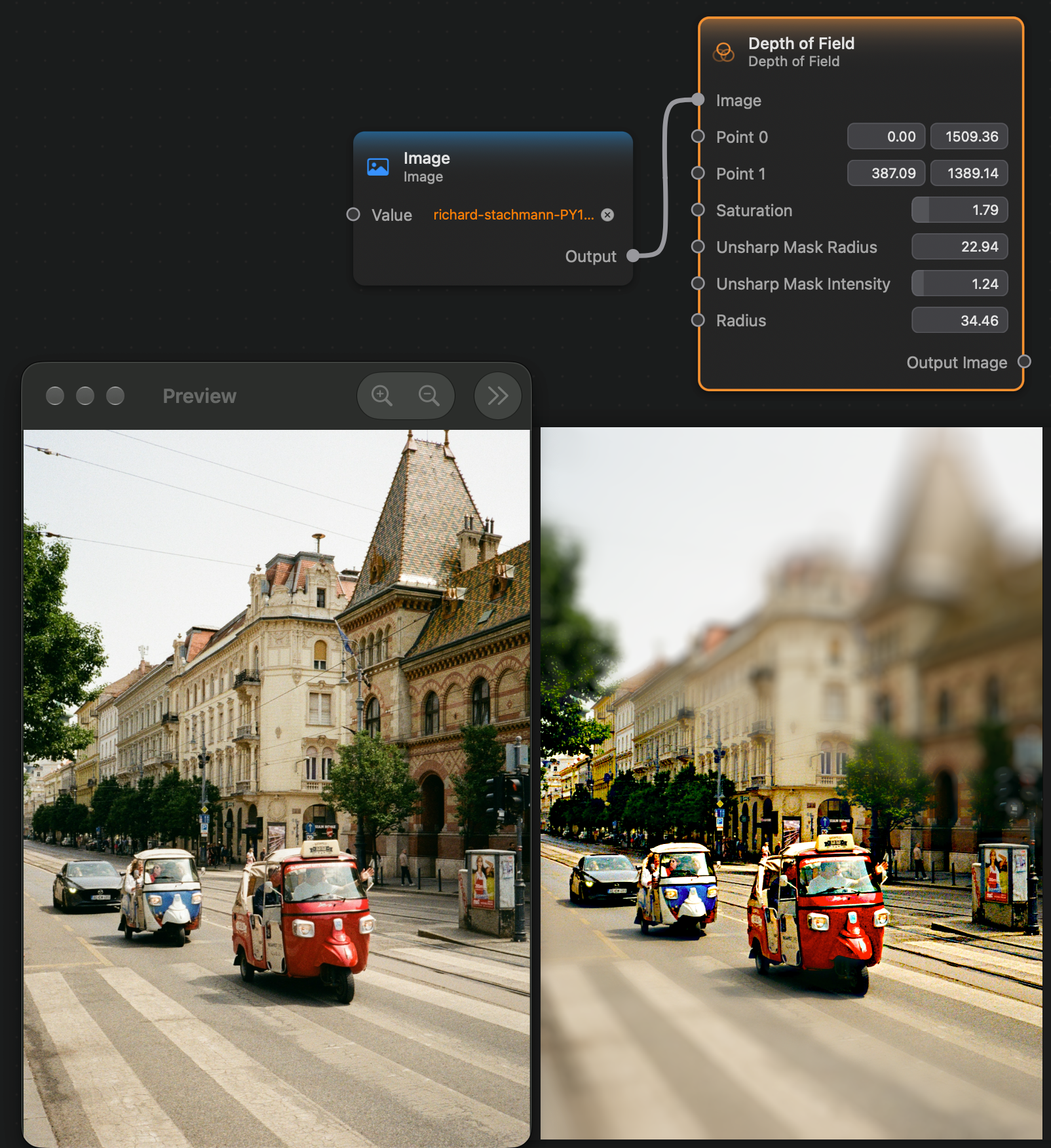
The Depth of Field node applies a filter to the image that blurs parts of it, simulating the depth of field look achieved by photographic lenses.
Two points are given as input, which define a line. This line will be the "focused" line. Outside of this line, the image gets progressively more blurred, mimicking the "out of focus" look of depth of field.
Inputs and Outputs
Inputs:
Image (Image): The input image.Point 0 (Vector 2): The first point of the focus line.Point 1 (Vector 2): The second point of the focus line.Saturation (Float): How much saturation enhancement to apply to the focused area.Unsharp Mask Radius (Float): The radius of the sharpness effect applied to the focused area.Unsharp Mask Intensity (Float): The intensity of the sharpness effect applied to the focused area.Radius (Float): The blur radius.
Outputs:
Output Image (Image): The output image.